Connect shopdev with Shopify
Unlock the full potential of Shopdev, your AI-powered Shopify developer, by connecting your store. To get started, you'll need to set up a private app within your Shopify admin. Watch the video for a quick walkthrough, or follow the step-by-step instructions below.
Written By Sam van Hees
Last updated 7 months ago
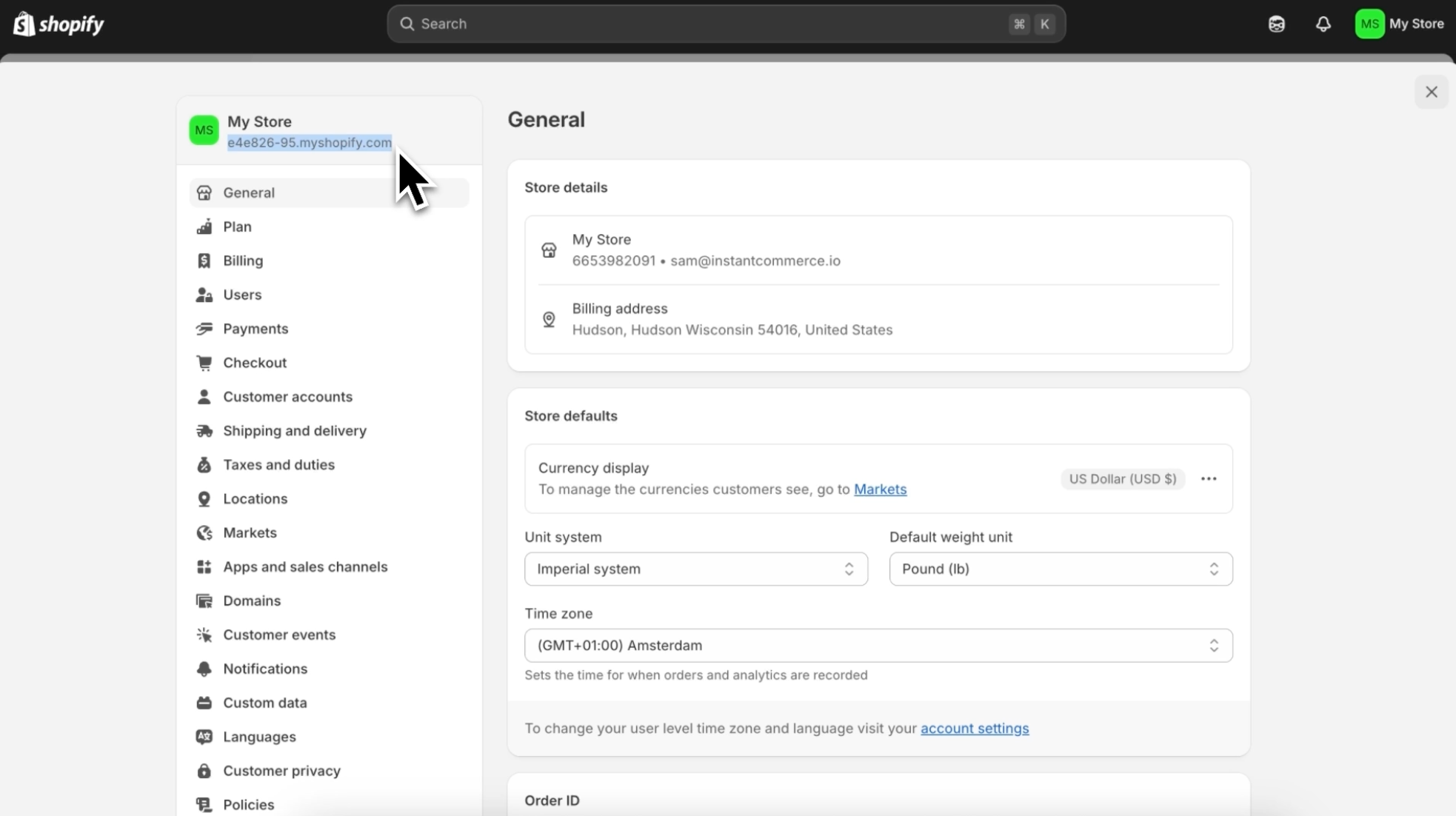
Step 1: Shopify ID
Within the Shopify admin, open up the settings panel and copy and paste the shopify ID visible in the top left corner
Step 2: Open the Dev Dashboard in Shopify
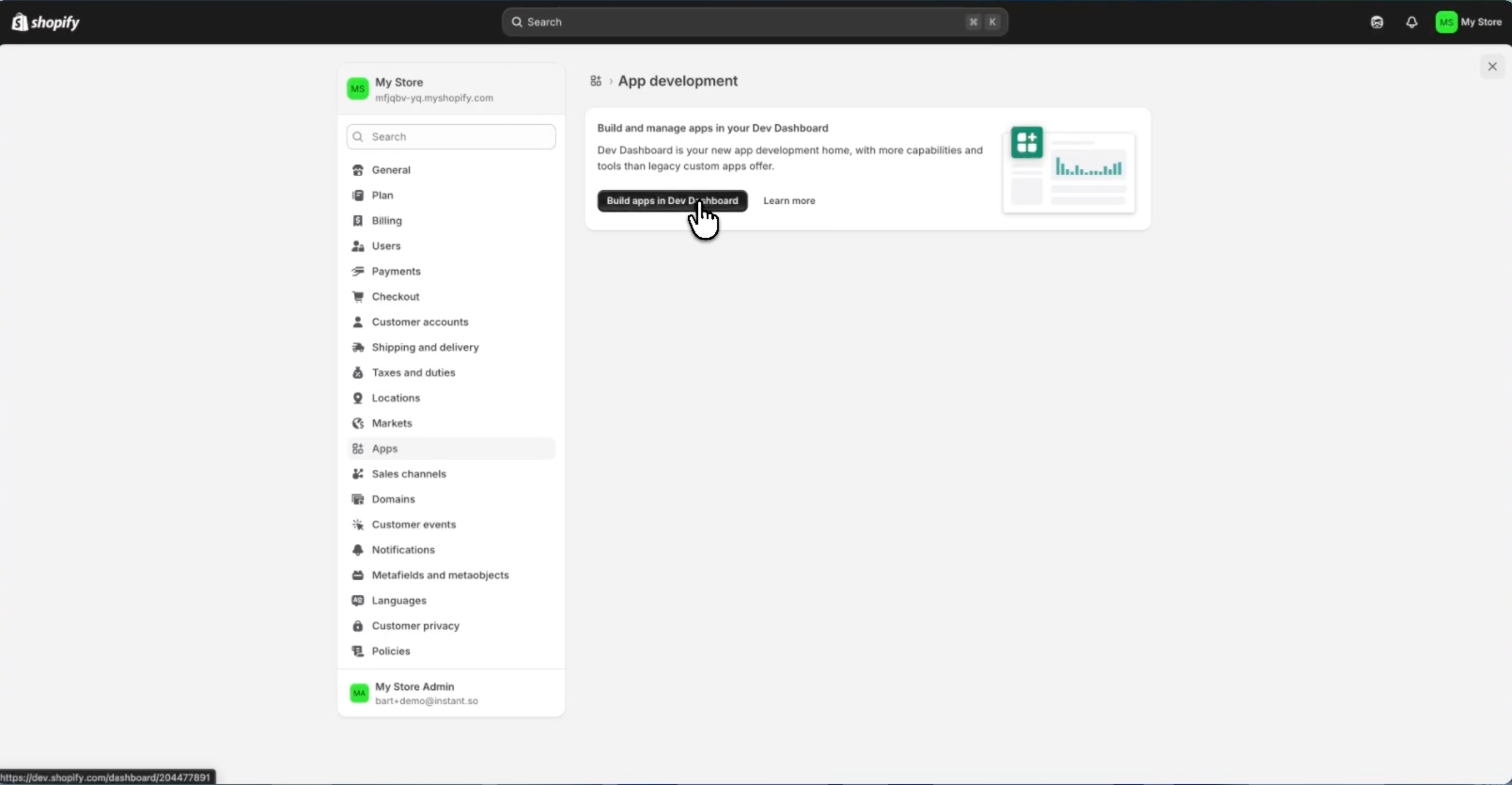
In your Shopify admin, go to Settings → Apps and sales channels.
Click Develop apps in the top right corner.
Click Build and manage apps in your Dev Dashboard
Step 3: Create an app
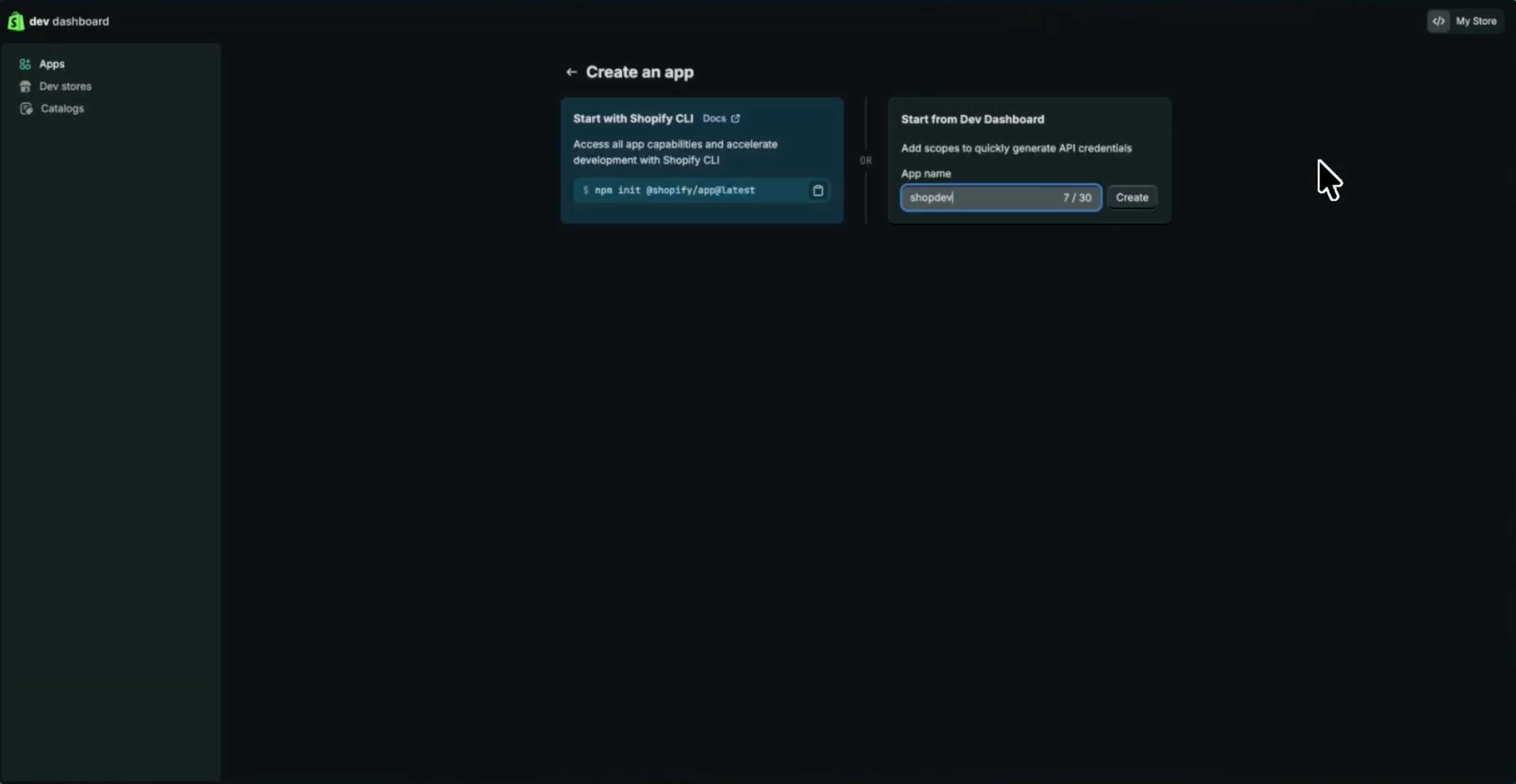
Create an app and call it Shopdev for easy reference
Step 4: Create an app version
Create an app version with the following settings:
App URL:
https://shopify.dev/apps/default-app-homeUncheck Embed app in Shopify admin
Access → Scopes:
read_files, read_product_listings, read_products, write_themes, unauthenticated_read_content, unauthenticated_read_product_listings, unauthenticated_read_product_inventory, unauthenticated_read_selling_plans
Step 5: Install app & get credentials
Click Install app (under Home in the sidebar)
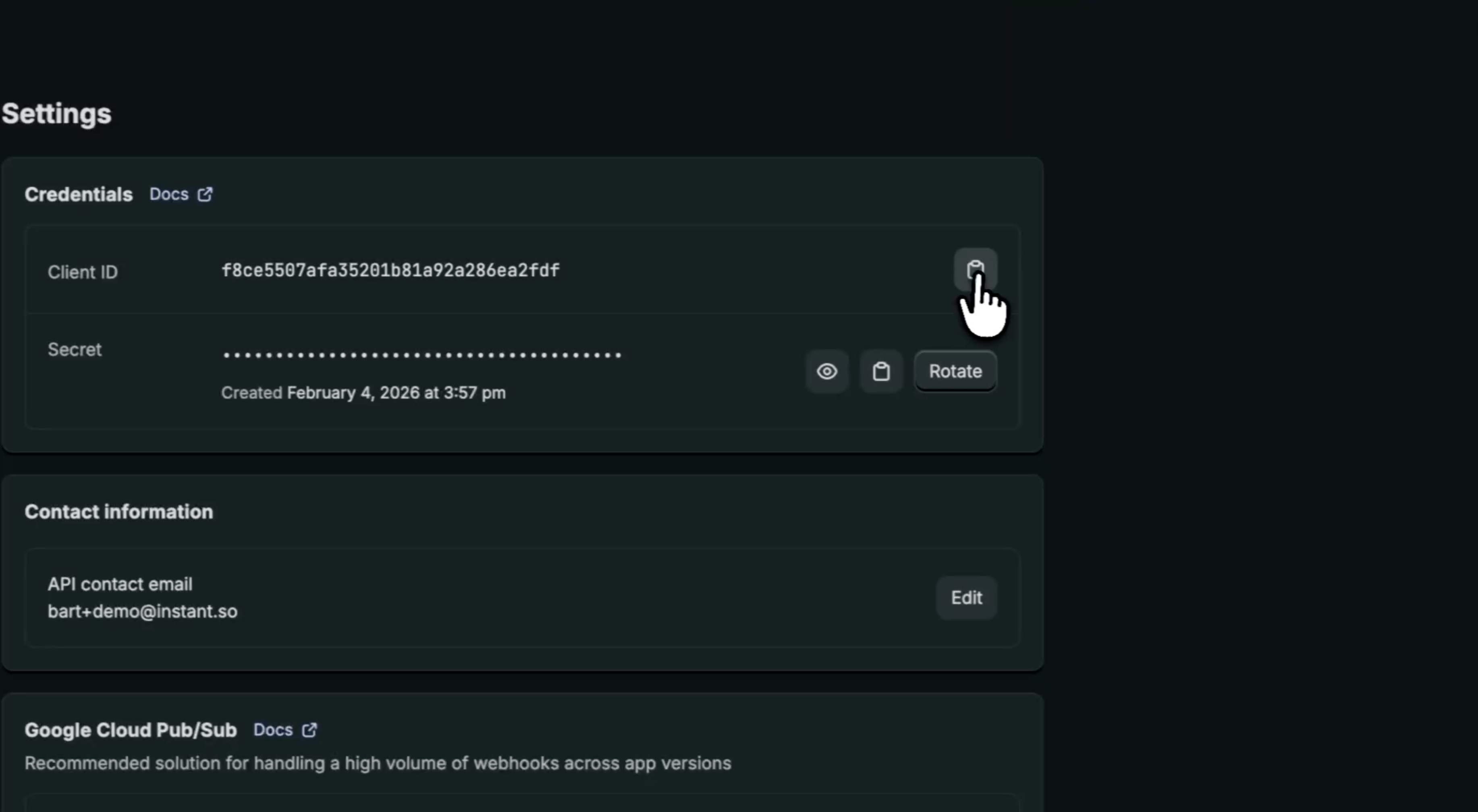
Once installed, go to the Settings page of your app in the Dev Dashboard
Copy the Client ID and Secret and paste them into Shopdev to complete the connection with your Shopify store.
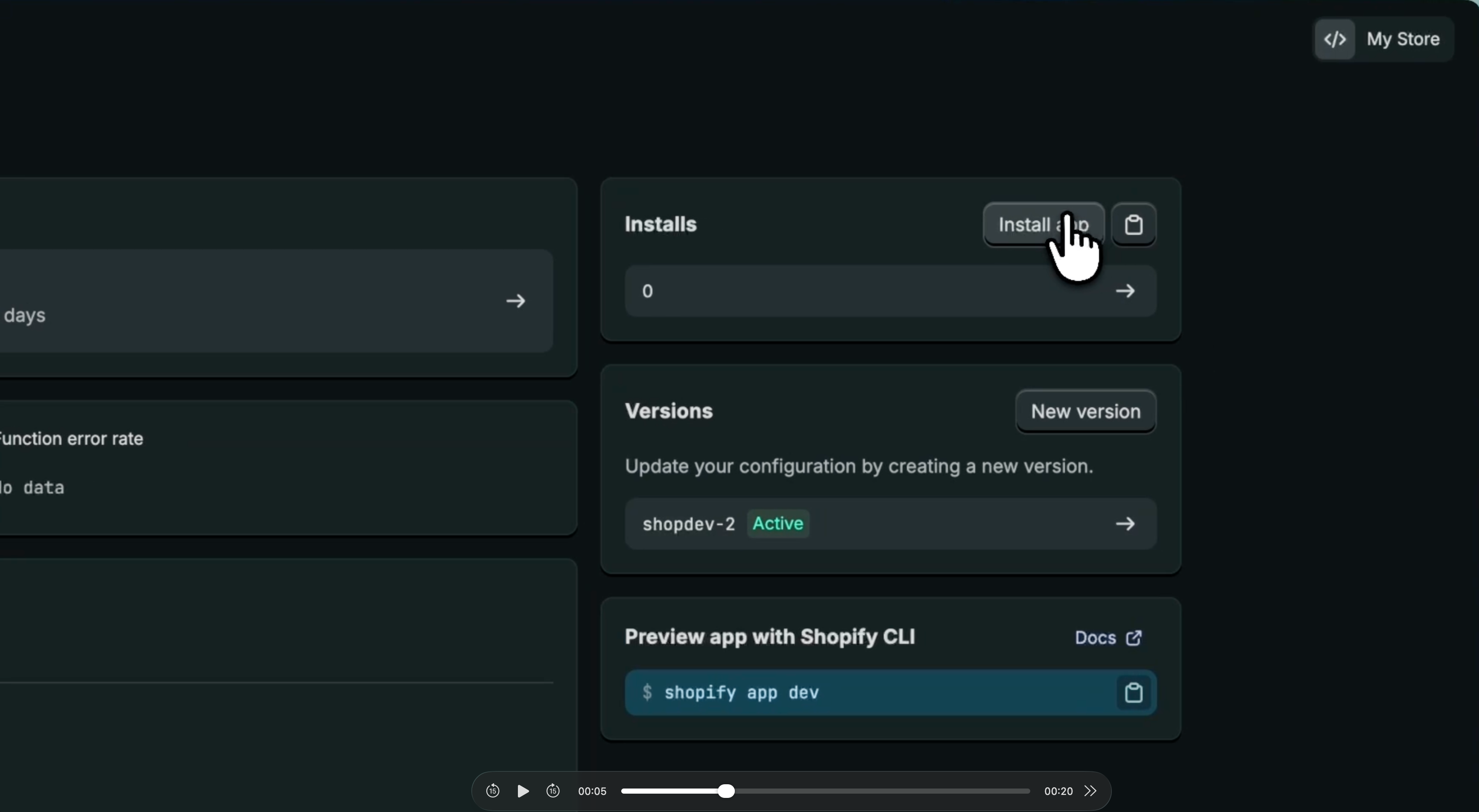
And that’s it, shopdev is now connected to your Shopify store.
A Note on Privacy and Safety — shopdev does not make any changes to your Shopify store. It does not access customer data, modify products, or affect store settings in any way unless you explicitly instruct it to.